

The preview with the Sobre identity
Manual issuance adopts warm paper, white cards and pill-shaped buttons. The gift card preview shows the product’s actual template, with the amount and dedication you are preparing. Review that presentation alongside the recipient and channel before confirming.Historical issuance and buyer details
In staging validation: orders with evidence of an existing historical gift card must not open another issuance. If you received a new link for an order that already had its gift, ask for that order to be reviewed before activating it; do not create another gift as compensation. The connector also uses the contact name when the buyer name is blank. Neither correction changes the requirement that the order be paid.Before you start
Prepare the amount, design and recipient details. Check the channel and, for a scheduled gift, the chosen date. Available actions depend on your permissions and the state shown by your store.1. Prepare the gift
Open Gift cards → Issue. Complete the form and review the recipient, amount, message and delivery mode before confirming. Secret gifts and corporate gifts are different options: check the preview to understand their presentation.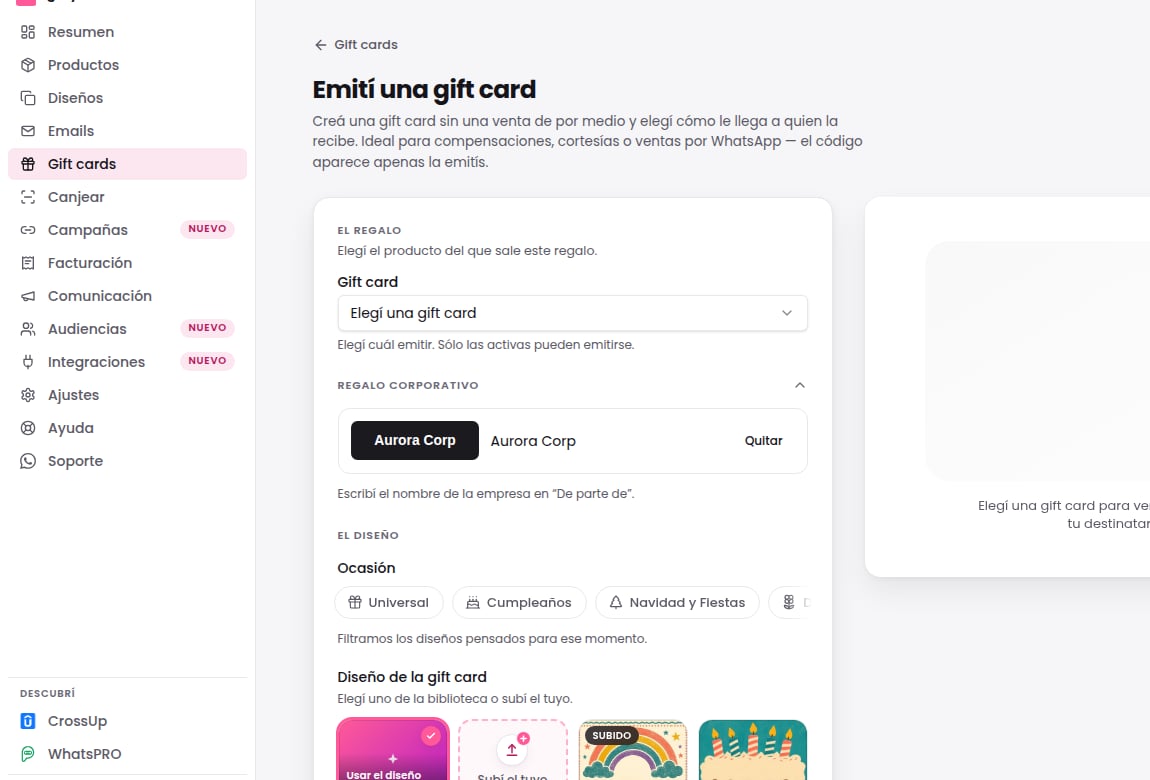
Choose the design on a phone
On a phone, the row of occasions above the designs scrolls sideways: swipe it to see them all. The whole form fits the width of the screen, so you reach every field and the Issue gift card button by scrolling down the page.Send a copy to someone else
If the gift is a corporate purchase, fill in Send a copy to with the email of the person who must know about the delivery, for example HR. That person gets a separate email that confirms the delivery, without the redemption code: only the person who receives the gift gets the code. The copy includes the same gift link as a backup, so send it only to someone you trust.- The field is optional and appears when you deliver by email or by WhatsApp. With Gift link there is no delivery to copy.
- The copy always goes out by email, even when the gift travels by WhatsApp.
- If you enter the recipient’s own email, we don’t send a separate copy.
- After you issue, the result screen shows the Copy row with its status, the same as the delivery.
See the WhatsApp message that will go out
If you choose WhatsApp, the preview shows the message that goes out today: yours, if you have an approved one turned on, or the Gifty message. Your message status is in Gift cards → Delivery, on the WhatsApp card. The button changes with the message: View my gift card with yours and View receipt with the Gifty message.2. Confirm and keep the reference
Confirm once and follow the operation that was created. If the interface is still processing, check that operation before starting another. Issuance and delivery have different states: a gift card existing does not prove the recipient received it.3. Check the delivery history
Open the operation details and review its history. Queued does not mean delivered. Check the channel and reported outcome before telling the recipient delivery is complete.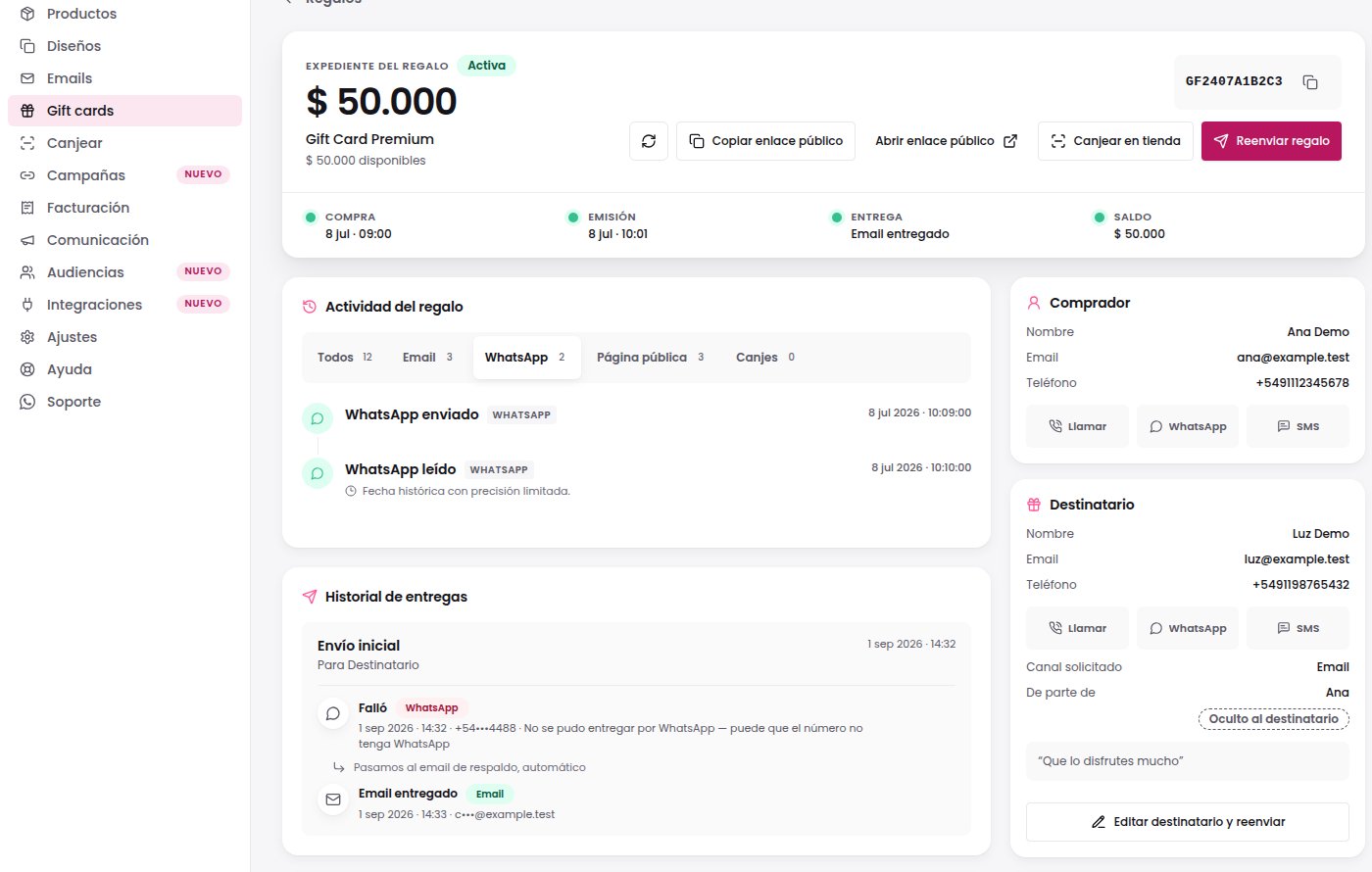
If the message did not arrive
Do not share a complete gift card code in a public channel: it allows its value to be used. This pilot does not send support messages.